Twitter to MP3 (X to MP3)
Found a video on X or Twitter with audio worth keeping? Paste the tweet link into the field above and this Twitter MP3 downloader will extract the audio track and deliver it as a clean MP3 file. No account, no app — the file is ready in a few seconds.
Whether you're saving a music clip, a podcast segment, an interview, or a viral quote from X — the audio extraction runs entirely in your browser, no installs or setup needed. Works the same on iPhone, Android, Windows, and Mac.
How to download Twitter MP3 for free
Getting an MP3 from a Twitter or X video takes about ten seconds. There's nothing to install — copy the tweet link, paste it here, and the converter pulls out the audio and hands you a download link. Works on any device, any browser.
Paste the tweet link into the input field above and press Download. The Twitter to MP3 converter will process the audio and give you a direct download link within seconds.
Please ensure:
- You're on a page with a single tweet (not a profile or search results page)
- The tweet contains a video — audio-only tweets are not supported
- The account is public — private account content cannot be accessed
https://x.com/SpaceX/status/1481651037291225113
https://mobile.x.com/SpaceX/status/1481651037291225113
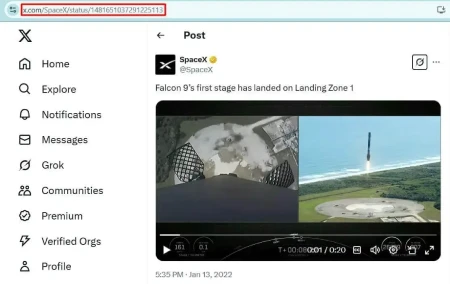
Note: sssx.io does not store or host any media files. All audio is extracted directly from X's CDN servers and is not modified or redistributed by this tool.
Download Twitter Audio — Here's How
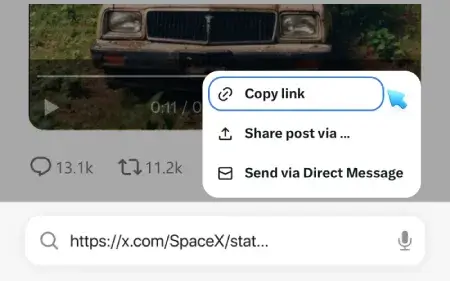
Copy the Tweet Link
Open X.com or the X app and find the post with the video. On desktop, copy the URL from your browser's address bar. On mobile, tap the share icon and select 'Copy Link'.
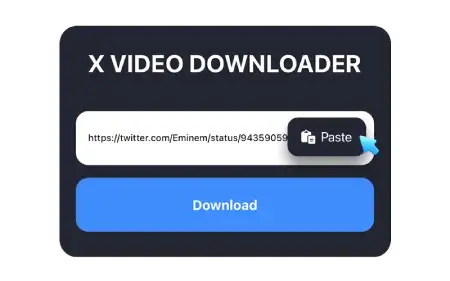
Paste and Convert to MP3
Come back to this page and drop the link into the input field at the top. Hit Download — the tool will start extracting the audio track straight away. No settings, no format selection needed.
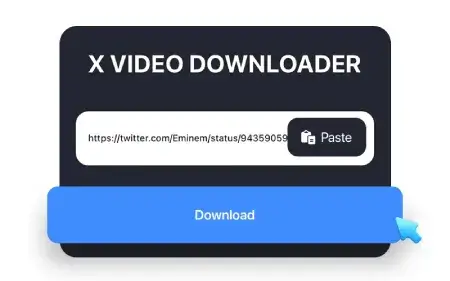
Save Your MP3
When the conversion is done, a download link will appear. Tap or click it to save the MP3 to your device. The file goes to your Downloads folder — no watermark, no branding, just the audio.
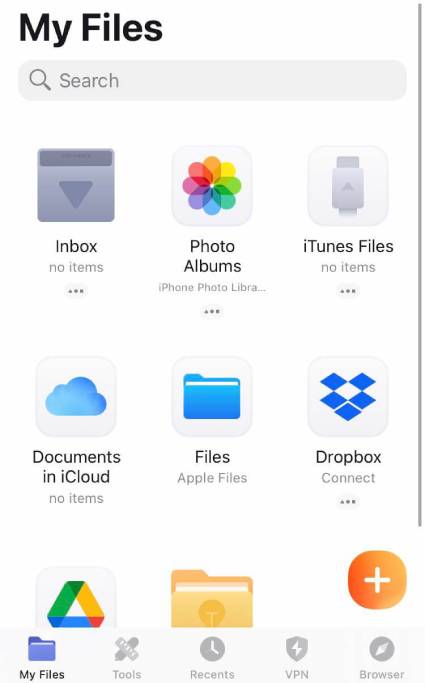
How to save Twitter MP3 on iPhone
- Open X (Twitter) and find the video tweet. Tap the share icon and select 'Copy Link'.
- Open Safari and go to sssx.io/twitter-to-mp3. Paste the link into the input field and tap Download.
- Safari will prompt you to save the file. Tap Download to confirm.
- Open the Files app and go to Downloads — your MP3 is there, ready to play or share.
Note: On iOS 12 and below, use the Documents app by Readdle as an alternative browser — it has its own download manager.
Frequently Asked Questions - FAQ
What is a Twitter to MP3 converter and how does it work?
A Twitter to MP3 converter is an online tool that extracts the audio track from a Twitter or X video and saves it as an MP3 file on your device. You paste the tweet URL, the tool fetches the video from X's servers, strips the audio, converts it to MP3, and gives you a direct download link — all without any software or account.
How do I convert a Twitter video to MP3 online?
Copy the URL of the tweet containing the video. Paste it into the input field at the top of this page and press Download. The Twitter to MP3 converter will process the link and provide a direct download link for the audio file within seconds — no extensions or installations required.
Does this work for X (Twitter) videos too?
Yes. X is the current name for Twitter — links from both x.com and twitter.com work identically with this tool. Whether you're copying a link from the X app or from an old twitter.com URL, just paste it in and the conversion will work the same way.
Is the Twitter to MP3 converter free?
Yes, completely free. No subscription, no download limits, no hidden fees. You can convert as many tweet links to MP3 as you need.
How long does the conversion take?
Usually just a few seconds. The tool fetches the video directly from X's servers and extracts the audio, so processing time depends mainly on the length and size of the original video. Short clips convert almost instantly; longer videos may take 5–10 seconds.
What audio quality will the MP3 have?
The quality matches the audio track of the original video on X (Twitter) — no additional compression or quality reduction is applied. Most videos on X deliver audio at around 128kbps. If the original video has higher-quality audio, the MP3 output will reflect that.
Is it safe to use? Do you store my audio files?
Yes, it's safe. sssx.io does not store, host, or have access to the audio files you download. All content is fetched directly from X's CDN servers and passed to your device — nothing is saved on our end. No account is needed, and no personal data is collected during the process.
Can I download Twitter MP3 on Android?
Yes. Open any browser on your Android device — Chrome, Firefox, or Samsung Internet — paste the tweet link, and press Download. The MP3 file will save to your Downloads folder automatically.
Can I extract audio from X (Twitter) on iPhone?
Yes. Use Safari on iOS 13 or later — after pressing Download, the browser will prompt you to save the file directly to your Files app. On older iOS versions, the Documents app by Readdle works as an alternative with its own download manager.
Can I download MP3 from private X (Twitter) accounts?
No. This tool only works with content from public accounts. Tweets and videos from private profiles are not accessible — the same restriction applies to all third-party downloaders.
Does the downloaded MP3 have any watermark or branding?
No. The file you download is a clean MP3 with no watermarks, no overlays, and no modifications to the original audio. What you get is exactly what was in the original tweet's video.
What's the difference between this and the main sssx.io downloader?
The main sssx.io tool downloads the full video as an MP4 file. This page extracts only the audio and delivers it as an MP3 — a much smaller file ideal for listening without video. If you need the video with the audio track included, use the homepage. If you only want the sound, you're in the right place.